
Battery Draining Too Fast: What to Do
Is your phone battery draining faster than usual? Does it go flat halfway through the day - or even sooner? If so, you’re not alone. Many people on the Central Coast experience rapid battery drain on their Android or iPhone, even with minimal use.
In this easy-to-understand guide, we’ll walk you through the common causes of fast battery drain, simple ways to fix it, and when to call Zelrose IT for help if your phone still won’t hold a charge.
Why Is Your Phone Battery Draining Quickly?
There are a few main reasons why your battery might not be lasting as long as it should:
Apps running in the background
Screen brightness too high
Old or bloated battery
Outdated software or app bugs
Poor signal strength
Location, Bluetooth, or Wi-Fi left on unnecessarily
Now let’s go through step-by-step how to fix each of these.
Fixing Battery Drain on Android Phones
1. Check What’s Using the Most Battery
Go to Settings > Battery > Battery Usage
This shows which apps are using the most power
If an app you rarely use is high on the list, consider deleting or restricting it
2. Turn On Battery Saver Mode
Go to Settings > Battery
Turn on Battery Saver or Power Saving Mode
This helps limit background activity and extends battery life.
3. Reduce Screen Brightness & Timeout
Lower brightness or turn on adaptive brightness
Go to Settings > Display > Screen Timeout
Set it to 30 seconds or 1 minute
4. Disable Unused Features
Turn off Bluetooth, Wi-Fi, and Location Services when not in use
Use Airplane Mode in areas with poor signal to prevent battery drain
5. Uninstall or Limit Background Apps
Go to Settings > Apps
Tap on a high-usage app > Battery > Restricted to limit background use
Fixing Battery Drain on iPhone
1. Check Battery Usage
Go to Settings > Battery
Check which apps are using the most battery
Tap any app for more details
2. Enable Low Power Mode
Go to Settings > Battery
Turn on Low Power Mode to conserve battery life
You can also add it to Control Centre for easy access.
3. Adjust Display Settings
Go to Settings > Display & Brightness
Turn off Auto-Brightness if it's set too high
Reduce screen brightness manually
4. Turn Off Background App Refresh
Go to Settings > General > Background App Refresh
Turn it off for all apps, or selectively disable for apps you don’t need updating constantly
5. Turn Off Location for Unnecessary Apps
Go to Settings > Privacy & Security > Location Services
Turn off location access for apps that don’t need it
Other Tips for Both Android & iPhone
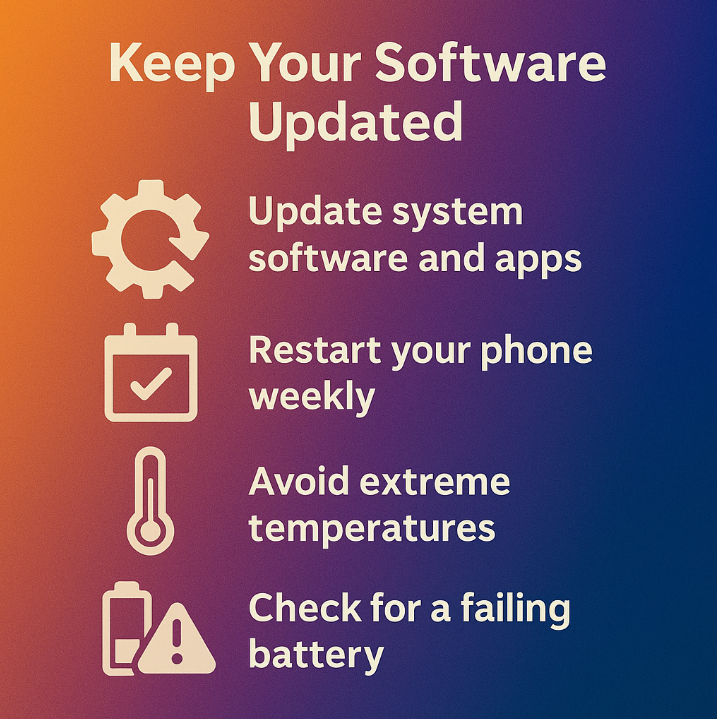
Keep Your Software Updated
Outdated system software or app bugs can cause unnecessary battery drain.
On Android: Go to Settings > Software Update
On iPhone: Go to Settings > General > Software Update
Restart Your Phone Weekly
A simple restart can refresh background services and help stop unusual drain.
Avoid Extreme Temperatures
Battery performance drops in very hot or cold conditions. Avoid leaving your phone in cars, direct sun, or outside in winter.
Check for a Failing Battery
If your phone is more than 2–3 years old and the battery is draining extremely fast or shutting off at random percentages, the battery may be wearing out.
Signs of battery failure:
Drains from 30% to 0% suddenly
Phone gets hot even when not in use
Only lasts a few hours even on light use
Contact Zelrose IT for help assessing your battery health or replacing it safely.
When to Call Zelrose IT
If you’ve tried all the above and your battery still doesn’t last:
We can diagnose battery problems
Recommend or arrange a battery replacement
Clean up background apps and optimise settings
Set up cloud backups and automatic power-saving features
We’re friendly, local, and offer both in-home and remote support across the Central Coast.
Quick Checklist: Fix Fast Battery Drain
Check what’s using the most battery
Enable battery saver or low power mode
Lower screen brightness and timeout
Turn off background app refresh
Disable location, Wi-Fi, or Bluetooth if not needed
Keep your phone software up to date
Restart your phone weekly
Call Zelrose IT if issues persist
Ready for Longer Battery Life?

Let Zelrose IT help you make the most of your phone again. Whether it’s a settings issue or a battery replacement, we’ll get it sorted - without the stress.
Call 0478 843 700 or visit www.zelrose.com.au to book friendly, professional tech support today.
Related Posts You Might Like: